Best Cold Email Tools & Software: Top 16 in 2026
Updated April 2026 — The definitive ranked guide to the best cold email tools for B2B outreach, with pricing, strengths, limitations, and honest reviews
Cold email is still the single most cost-effective channel for B2B pipeline generation — which is why the best cold email agencies build entire businesses around the channel. Not LinkedIn DMs. Not paid ads. Not intent-triggered chatbots. A well-crafted cold email, landing in the right inbox at the right time, consistently produces qualified meetings at a fraction of the cost of any other outbound channel. But there is a catch. The gap between a mediocre cold email operation and a high-performing one has never been wider, and the tool you choose is the biggest lever.
In 2026 the inbox environment is brutal. Google, Yahoo and Microsoft have tightened authentication requirements, throttled bulk senders, and improved spam detection to the point where sloppy cold email simply does not land. The tools that thrived three years ago by letting you blast thousands of emails from a single domain are now a liability. The platforms that win today are the ones that solve the deliverability problem first and layer sequencing, personalisation, and analytics on top.
If you have not already locked down your cold email strategy, start there. No tool can compensate for weak targeting, generic messaging, or a broken value proposition. But once your strategy is sound, the right cold email tool becomes the engine that turns it into pipeline at scale.
I have spent over a decade building outbound sales systems and running one of the best outbound sales agencies for B2B technology companies. I have deployed, tested, and broken every tool on this list across real campaigns. This is not a feature-page roundup. This is what actually works in production.
TL;DR: The 16 Best Cold Email Tools Compared
| Tool | Best For | Pricing (per mo) | Free Plan | Warmup Built-In | AI Features | Key Strength |
|---|---|---|---|---|---|---|
| Instantly | High-volume cold email at scale | $30–$97 | No | Yes | Moderate | Unlimited email accounts + warmup |
| Lemlist | Personalised multi-channel outreach | $39–$129 | No | Yes | Strong | Visual personalisation + LinkedIn |
| Smartlead | Infrastructure-focused email at scale | $39–$94 | No | Yes | Moderate | Master inbox + warmup rotation |
| Apollo.io | All-in-one prospecting + email | $0–$119/user | Yes | Yes | Strong | Built-in B2B data + sequences |
| Reply.io | Multi-channel with AI SDR | $49–$139/user | Yes (limited) | Yes | Strong | AI SDR agent for booking meetings |
| Woodpecker | Agencies and multi-client outreach | $29–$99 | Yes (limited) | Yes | Moderate | Agency-friendly architecture |
| Mailshake | Simple cold email + dialer | $45–$99/user | No | No | Moderate | Ease of use and phone integration |
| Warmy | Multi-domain deliverability & warm-up | Custom (book a call) | No | Yes (core product) | Strong | AI warm-up + inbox-placement testing |
| Saleshandy | Affordable high-volume sending | $25–$99 | No | Yes | Moderate | Unlimited email accounts at low cost |
| GMass | Gmail-native cold email | $25–$55 | Yes (limited) | No | Basic | Works inside Gmail natively |
| QuickMail | Deliverability-obsessed teams | $49–$89 | No | Yes | Moderate | Auto-rotation + inbox placement |
| Snov.io | Lead generation + email outreach | $30–$99 | Yes (limited) | Yes | Moderate | Email finder + drip campaigns |
| Hunter.io | Email finding + simple campaigns | $0–$99 | Yes | No | Basic | top-tier email verification |
| Pipl.ai | AI-powered personalisation at scale | $30–$90 | No | Yes | Strong | Dynamic AI personalisation |
| Warmbox | Dedicated email warmup | $15–$99 | No | Yes (core product) | Basic | Specialised warmup network |
| MailReach | Deliverability monitoring + warmup | $25–$65 | No | Yes (core product) | Basic | Spam score testing + warmup |
How We Evaluated These Tools
Picking a cold email tool is not a casual software decision. It directly determines your inbox placement rates, your reply rates, and ultimately how much pipeline you generate per dollar spent. Here is the framework I used to evaluate and rank these sixteen tools.
1. Deliverability Infrastructure
This is the single most important factor. If your emails land in spam, nothing else matters. I weighted heavily toward tools with built-in email warmup, domain rotation, sending throttling, bounce management, and spam testing. In the current inbox environment, deliverability is not a feature — it is the foundation.
2. Email Account and Domain Management
High-performing cold email operations in 2026 run multiple sending domains and dozens of email accounts. I evaluated how easily each tool lets you connect, manage, rotate, and monitor large numbers of sending accounts without per-account fees eating your budget.
3. Sequence and Personalisation Capabilities
Beyond basic drip sequences, I looked at conditional logic, A/B testing at each step, dynamic personalisation using prospect data, and the ability to insert custom variables that make each email feel individually written. Templates that feel templated get ignored.
4. AI and Automation Quality
Every tool now claims AI features. I evaluated which ones actually improve output — generating genuinely useful copy variations, optimising send times based on engagement data, and classifying replies accurately — versus which ones are marketing theatre. (The same scrutiny applies to inbound AI visibility — see our GEO services for how we evaluate AI-driven discovery channels.)
5. Analytics and Optimisation
You need clear data on open rates, reply rates, bounce rates, and conversion rates at the campaign, sequence, and individual email level. I prioritised tools that make it easy to identify what is working and iterate fast.
6. Pricing Transparency and Scalability
Cold email tools should scale with your sending volume, not punish you for growing. I penalised platforms with hidden costs, aggressive per-seat pricing that does not fit the cold email use case, and limited sending allowances that force premature plan upgrades.
The 16 Best Cold Email Tools for B2B in 2026
1. Instantly
Overview: Instantly has become the dominant cold email platform for teams that prioritise sending volume and deliverability above all else. The core value proposition is straightforward: connect unlimited email accounts, warm them all up automatically, and send cold email at scale with intelligent rotation that protects your domain reputation. Since its launch it has expanded into a broader outbound platform with lead data, CRM features, and a managed deliverability network.
Best for: B2B teams, agencies, and solo operators running high-volume cold email campaigns who need rock-solid deliverability infrastructure without enterprise pricing.
Pricing: Growth plan at $30 per month (1,000 active contacts, 5,000 emails per month), Hypergrowth at $77 per month (25,000 active contacts, 100,000 emails per month), and Light Speed at $97 per month (100,000 active contacts, 500,000 emails per month). Pricing is per workspace, not per user.
Pros:
- Unlimited email account connections at every tier. Connect fifty sending accounts or five hundred — no per-account fees. This is critical for domain rotation strategies that keep your primary domain pristine while scaling outreach. Most competitors charge per account, which makes true rotation prohibitively expensive.
- top-tier warmup network. Instantly operates one of the largest email warmup networks available. New accounts reach sending readiness faster, and the system continuously monitors and maintains sender reputation across all connected accounts. The warmup runs in the background without intervention.
- Smart sending and rotation. The platform distributes volume intelligently across accounts, automatically throttles when deliverability signals dip, pauses accounts showing warning signs, and rotates sending domains to maintain inbox placement rates. This automation removes the manual monitoring that high-volume senders otherwise need.
- B2B lead database included. Instantly has added a contact database with over 160 million contacts, filterable by company size, industry, job title, and technology stack. The data quality is improving rapidly and eliminates the need for a separate lead sourcing subscription for many teams.
Cons:
- Email only — no native phone or LinkedIn automation. If your cold email strategy includes multi-channel touchpoints, you will need to supplement Instantly with other tools. There is no built-in dialer, LinkedIn integration, or SMS capability.
- CRM integration lacks depth. Salesforce and HubSpot integrations exist but are basic compared to dedicated sales engagement platforms. Complex CRM workflows, custom object mapping, and bi-directional field syncing require middleware like Zapier or Make.
- Analytics are functional but not deep. You get campaign-level open rates, reply rates, and bounce metrics, but the platform does not offer the granular step-level analysis or cohort comparisons that optimisation-focused teams want. Power users export data for external analysis.
2. Lemlist
Overview: Lemlist has carved out a distinctive position by combining cold email with visual personalisation and multi-channel sequences that include LinkedIn automation. The platform lets you create personalised images, dynamic landing pages, and video thumbnails that stand out in crowded inboxes. In 2026 it has matured into a full outbound engagement platform while retaining the creative personalisation that made it popular.
Best for: B2B teams that want to differentiate their outreach through personalised visuals and multi-channel sequences spanning email, LinkedIn, and phone.
Pricing: Email Starter at $39 per user per month, Email Pro at $69 per user per month, Multi-channel Expert at $99 per user per month, and Outreach Scale at $129 per user per month. Annual billing saves 20%.
Pros:
- Visual personalisation that actually converts. Lemlist lets you dynamically insert prospect names, company logos, and custom text into images and landing pages. An email showing the prospect's name on a whiteboard or their company logo on a mockup drives noticeably higher reply rates than plain text alone.
- Genuine multi-channel sequences. The Multi-channel Expert tier includes LinkedIn profile visits, connection requests, and messages as automated steps within your sequences. Combined with email and manual call tasks, you can build true multi-channel cadences without juggling separate tools.
- Built-in warmup through Lemwarm. Lemlist includes its own warmup tool, Lemwarm, which operates a peer-to-peer warmup network. It is not as large as Instantly's network, but it is included in all paid plans and handles the basics effectively.
- Strong AI email generation. The AI assistant generates complete email sequences based on your value proposition and target persona. The output quality is above average, producing copy that requires light editing rather than a full rewrite.
Cons:
- Per-user pricing scales expensively. For a five-person team on the Multi-channel Expert plan, you are looking at nearly $6,000 per year. Teams that primarily need high-volume sending with basic personalisation may find better value elsewhere.
- LinkedIn automation carries inherent risk. Any tool that automates LinkedIn actions operates in a grey area relative to LinkedIn's terms of service. Lemlist's automation is reasonably conservative, but aggressive usage patterns can trigger account restrictions.
- Learning curve for visual personalisation. The image and landing page personalisation features are powerful but require setup time. Creating effective personalised templates takes experimentation, and poorly executed visual personalisation can look gimmicky rather than impressive.
3. Smartlead
Overview: Smartlead is built from the ground up for cold email infrastructure at scale. It competes directly with Instantly on the high-volume sending front, with a particular emphasis on master inbox management, warmup at scale, and multi-account rotation. The platform is popular with agencies and teams running multiple client campaigns simultaneously.
Best for: Agencies and high-volume cold email operators who need sophisticated email infrastructure management with a unified inbox for managing replies across dozens or hundreds of sending accounts.
Pricing: Basic at $39 per month (2,000 active leads), Popular at $79 per month (30,000 active leads), and Pro at $94 per month (150,000 active leads). Pricing is per workspace, not per user. Add-ons for additional features.
Pros:
- Master inbox for unified reply management. When you are sending from fifty or a hundred email accounts, tracking replies across all of them is a nightmare. Smartlead's master inbox aggregates all replies into a single view, categorises them by sentiment, and lets you respond without switching between accounts.
- Robust warmup with large network. Smartlead's warmup system is on par with Instantly's, handling automatic warmup across all connected accounts with customisable warmup parameters. You can set daily sending limits, reply rates, and warmup duration per account.
- White-label for agencies. The agency-focused features include white-label dashboards, client-level account separation, and consolidated billing. Any cold email agency can offer cold email as a managed service without exposing their tooling to clients.
- Webhook and API-first architecture. For teams that build custom workflows, Smartlead's API and webhook support are more flexible than most competitors. You can trigger campaigns from external events, sync data bidirectionally, and build custom reporting pipelines.
Cons:
- User interface lags behind competitors. Smartlead prioritises infrastructure over polish. The UI is functional but less intuitive than Instantly or Lemlist. New users face a steeper learning curve, and some features are buried in non-obvious places.
- Email only — no multi-channel native support. Like Instantly, Smartlead focuses exclusively on email. There is no LinkedIn, phone, or SMS integration. Multi-channel teams need supplementary tools.
- Support response times vary. As the platform has scaled rapidly, support quality has been inconsistent. Complex issues sometimes take days to resolve, and documentation gaps mean you may need to experiment to figure out advanced configurations.
4. Apollo.io
Overview: Apollo.io combines one of the largest B2B contact databases with a capable cold email and multi-channel engagement platform. Instead of purchasing data from one vendor and piping it into a separate outreach tool, Apollo lets you find prospects, verify emails, and launch sequences in a single workflow. The free tier is genuinely useful, which has driven massive adoption.
Best for: B2B teams that want prospecting data and cold email automation in a single platform, particularly startups and mid-market companies looking to consolidate tools.
Pricing: Free plan includes 10,000 email credits per month and basic sequences. Paid plans from $49 per user per month (Basic) to $119 per user per month (Organisation). Annual billing saves approximately 20%.
Pros:
- Massive B2B database with 275M+ contacts. Build prospect lists filtered by job title, company size, industry, technology stack, funding stage, and dozens of other attributes. The data quality is strong for US and UK markets and improving internationally.
- Exceptional value for money. The free plan offers more than many paid cold email tools. At $49 per user per month, you get data, sequences, email warmup, and basic analytics — functionality that would cost $300+ per month if assembled from separate tools.
- Multi-channel sequences. Beyond email, Apollo supports phone tasks, LinkedIn steps, and custom actions within sequences. The multi-channel capabilities are not as deep as Lemlist or Reply.io, but they cover the essentials.
- Intent data and buyer signals. Apollo surfaces which companies are actively researching topics related to your product, letting you time your cold email outreach to moments of genuine interest.
Cons:
- Data accuracy varies by geography and vertical. US technology company data is strong. International markets, particularly outside Western Europe, have higher rates of outdated contacts and missing phone numbers. Always verify before high-stakes campaigns.
- Deliverability tools are basic compared to specialists. Apollo includes email warmup and sending limits, but the deliverability infrastructure is not as sophisticated as Instantly or Smartlead. Teams sending more than 500 emails per day should consider supplementary warmup tools.
- Platform performance under heavy load. Large teams running hundreds of concurrent sequences occasionally report UI slowness and delayed analytics updates. Apollo is investing in infrastructure, but growing pains persist at enterprise scale.
5. Reply.io
Overview: Reply.io has evolved from a simple email automation tool into a comprehensive multi-channel outreach platform with one of the most advanced AI SDR features available. The platform handles email, LinkedIn, phone, WhatsApp, and SMS sequences, with an AI agent that can autonomously respond to initial prospect replies and book meetings.
Best for: B2B teams that want true multi-channel cold outreach including LinkedIn and WhatsApp automation, and those interested in deploying AI to handle initial prospect engagement.
Pricing: Free plan with limited features. Email Volume plan at $49 per month. Multi-channel plans from $89 per user per month. Agency plan with custom pricing.
Pros:
- AI SDR that actually works. Reply.io's AI agent can classify incoming replies by intent, generate contextual responses, handle objections, and book meetings directly into your calendar. It does not replace human SDRs, but it effectively handles the initial reply qualification that consumes hours of rep time daily.
- Genuine multi-channel automation. Email, LinkedIn connection requests and messages, phone tasks, WhatsApp messages, and SMS are all native to the platform. You can build sophisticated multi-touch sequences that mirror how buyers actually communicate.
- Strong deliverability suite. Built-in email warmup, domain health monitoring, spam testing, and sending optimisation. Reply.io takes deliverability seriously and provides more visibility into inbox placement than most competitors at this price point.
- Solid CRM integrations. Salesforce, HubSpot, Pipedrive, and Copper integrations are deeper than most cold email tools offer. Bi-directional sync, automatic activity logging, and workflow triggers keep your CRM updated without manual entry.
Cons:
- Per-user pricing hits agencies and large teams hard. At $89 per user per month for multi-channel, a ten-person team costs over $10,000 per year. Agencies managing multiple clients find the per-user model less efficient than workspace-based pricing from Instantly or Smartlead.
- AI SDR requires tuning. The AI agent is powerful but not plug-and-play. You need to invest time configuring response templates, objection handling, and qualification criteria. Poorly configured AI can send inappropriate replies that damage prospect relationships.
- LinkedIn automation limitations. Like all tools automating LinkedIn, Reply.io operates within LinkedIn's tolerance thresholds. High-volume LinkedIn automation can trigger restrictions, and the platform's LinkedIn capabilities are less mature than its email features.
6. Woodpecker
Overview: Woodpecker is a cold email platform built with agencies and multi-client operations in mind. The architecture supports managing multiple client campaigns from a single dashboard with clean separation between accounts, dedicated sending infrastructure per client, and consolidated reporting. It also serves in-house teams well with a clean interface and strong deliverability features.
Best for: Agencies managing cold email campaigns for multiple clients, and mid-market B2B teams that value a clean, focused cold email tool without unnecessary complexity.
Pricing: Cold Email plan from $29 per month (500 contacted prospects). Scales based on contact volume. Agency plan with custom pricing. Free trial with limited sending.
Pros:
- Agency-first architecture. Client accounts are fully separated with dedicated sending infrastructure, individual warmup settings, and per-client reporting. Agencies can manage dozens of client campaigns without cross-contamination or configuration complexity.
- Excellent deliverability controls. Woodpecker includes email warmup, adaptive sending that adjusts volume based on deliverability signals, bounce shield technology that pauses campaigns if bounce rates spike, and domain health monitoring. The deliverability focus is evident in every feature.
- Condition-based campaign logic. Sequences support if-then branching based on prospect behaviour — opens, clicks, replies, and custom conditions. This lets you build responsive campaigns that adapt to how prospects engage rather than following rigid timelines.
- Clean, focused interface. Woodpecker does not try to be everything. The UI is clean, the learning curve is gentle, and most teams are running campaigns within hours of signing up. Sometimes simplicity is the feature.
Cons:
- Limited multi-channel capabilities. LinkedIn and phone tasks can be added as manual steps, but there is no native automation for these channels. Teams running true multi-channel sequences will need supplementary tools.
- Contact-volume-based pricing can surprise you. The base price is low, but costs scale with the number of prospects contacted. Teams running large campaigns may find the effective cost higher than workspace-based competitors like Instantly or Smartlead.
- Smaller user community. Woodpecker has a loyal but smaller user base compared to Instantly or Lemlist. This means fewer community resources, templates, and third-party tutorials available for troubleshooting and optimisation.
7. Mailshake
Overview: Mailshake is one of the original cold email platforms and has maintained its position through simplicity and reliability. The platform combines email sequences with a built-in phone dialer and basic LinkedIn automation. It is not the most feature-rich option, but it is one of the easiest to learn and deploy, which matters more than most teams realise.
Best for: SMB sales teams that want a straightforward cold email tool with phone dialer integration and do not need the complexity of enterprise platforms.
Pricing: Email Outreach at $45 per user per month. Sales Engagement at $99 per user per month (includes dialer and LinkedIn). Annual billing required.
Pros:
- Fastest time to first campaign. Mailshake's interface is genuinely intuitive. Most teams go from signup to sending their first campaign within a couple of hours. The guided campaign builder walks you through list upload, email writing, and scheduling without any friction.
- Built-in phone dialer. The Sales Engagement tier includes a power dialer that lets reps make calls directly from the platform. Call recordings, disposition tracking, and voicemail drops are included. Having email and phone in one tool simplifies the multi-channel workflow for small teams.
- Lead Catcher for reply management. Mailshake's Lead Catcher automatically identifies positive replies, moves them into a dedicated pipeline view, and lets you manage interested prospects separately from campaign management. Simple but effective for tracking warm leads.
- Reliable and stable platform. Mailshake has been in the market long enough that the core platform is stable and predictable. Uptime is excellent, and campaigns run consistently without the occasional hiccups that newer platforms experience.
Cons:
- No built-in email warmup. Unlike most modern cold email tools, Mailshake does not include native email warmup. You need a separate warmup tool like Warmbox or MailReach, which adds cost and complexity.
- Per-user pricing is expensive for email-only. At $45 per user per month for email-only, Mailshake costs more than several competitors that offer warmup, unlimited accounts, and higher sending volumes. The value proposition only makes sense if you need the dialer on the Sales Engagement tier.
- Limited personalisation and A/B testing. Personalisation is limited to basic merge fields. There is no dynamic content, image personalisation, or conditional email body sections. A/B testing covers subject lines but not email body variations at each sequence step.
8. Warmy — Email Deliverability & Warm-Up
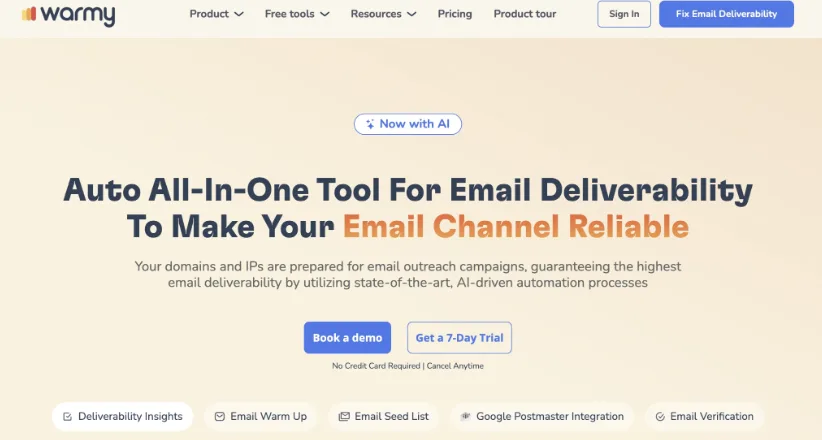
Warmy is an AI-powered email deliverability platform designed to help agencies ensure their clients' outreach and marketing emails actually land in the inbox rather than spam. It works as a dedicated "deliverability layer," managing warming-up, inbox placement checks and domain health monitoring — ideal when agencies run outreach across multiple brand domains. For agencies scaling cold outreach or newsletter operations, Warmy offers centralized management of multiple mailboxes and helps improve sender reputation before sending client campaigns.
Warmy also provides tools for deliverability testing, inbox-placement analysis, and ongoing domain health checks — which helps agencies quickly diagnose and address issues. With support for multiple languages and inbox warm-up automation, it's particularly useful for agencies working across markets or geo-diverse clients.
This platform combines:
- AI-powered email warm-up: gradually increase send volume while simulating opens, clicks, replies and "moving out of spam."
- Inbox placement and deliverability tests across major email providers to verify email reach.
- Central domain-health dashboard with SPF/DKIM/DMARC checks, blacklist monitoring, and reputation scoring.
- Multi-mailbox management for agencies handling several client domains in one interface.
- Multi-language warm-up support is useful for agencies managing clients in different geographies.
Pricing: Book a quick call to review pricing and see if it's the right fit.
9. Saleshandy
Overview: Saleshandy positions itself as a cost-effective high-volume cold email platform with unlimited email account connections, built-in warmup, and a unified inbox. It competes directly with Instantly and Smartlead on the infrastructure front while undercutting both on price at the entry level. The platform has added a B2B lead finder with over 700 million contacts.
Best for: Budget-conscious B2B teams and agencies that need high-volume sending infrastructure with unlimited email accounts at the lowest possible cost.
Pricing: Outreach Starter at $25 per month (2,000 prospects per month), Outreach Pro at $74 per month (30,000 prospects per month), and Outreach Scale at $99 per month (60,000 prospects per month). Per workspace, not per user.
Pros:
- Unlimited email accounts at every tier. Like Instantly, you can connect as many sending accounts as you need without additional fees. Domain rotation and account-level sending limits are included, making it easy to scale while protecting deliverability.
- Most affordable entry point for high-volume sending. At $25 per month for the Starter plan, Saleshandy is the cheapest legitimate high-volume cold email tool on the market. For solopreneurs and early-stage startups, this makes serious outreach accessible.
- Built-in B2B lead database. The lead finder includes 700 million+ business profiles with email addresses and phone numbers. Accuracy varies, but having data sourcing integrated into the platform eliminates a separate subscription for many use cases.
- Unified inbox with auto-categorisation. Replies from all connected accounts funnel into a single inbox with automatic sentiment detection that categorises replies as interested, not interested, meeting booked, or out of office. This saves significant time when managing replies at scale.
Cons:
- Warmup quality is inconsistent. Saleshandy's warmup network is smaller than Instantly's or Smartlead's, and users report more variable results. For critical domain reputation management, some teams supplement with a dedicated warmup tool.
- Email only — no multi-channel support. There is no LinkedIn, phone, or SMS integration. The platform is focused exclusively on email outreach, which limits its utility for teams running multi-channel cadences.
- Reporting is basic. Campaign-level metrics cover the essentials, but deep analytical capabilities — cohort analysis, step-level performance trends, deliverability scoring by domain — are limited. Data-driven teams will want to export and analyse externally.
10. GMass
Overview: GMass takes a fundamentally different approach to cold email by operating entirely within Gmail. Instead of being a standalone platform, it extends Gmail with mass email capabilities, mail merge, automatic follow-up sequences, and basic analytics. For individuals and small teams who live in Gmail, this eliminates the need to learn and manage a separate tool.
Best for: Individuals and small teams who want cold email capabilities without leaving Gmail, particularly for lower-volume, highly personalised outreach.
Pricing: Standard at $25 per month (basic features), Premium at $35 per month (sequences and A/B testing), and Professional at $55 per month (full features). Per user. Free tier limited to 50 emails per day.
Pros:
- Zero learning curve for Gmail users. GMass adds a button to your Gmail compose window. Writing a cold email feels identical to writing a regular email, with merge fields pulled from a connected Google Sheet. There is no new interface to learn or separate dashboard to manage.
- Google Sheets integration for list management. Your prospect lists live in Google Sheets, which most teams already know how to use. Filter, sort, and segment your lists in Sheets, and GMass pulls the latest data automatically. This is more flexible than many dedicated platforms' list management.
- Automatic follow-up sequences. Set up multi-step follow-up sequences that fire based on non-response. The sequences respect Gmail's sending limits, and the follow-ups thread naturally under the original email, maintaining conversational context.
- Detailed per-recipient reporting. GMass tracks opens, clicks, replies, and bounces for every individual recipient, surfaced directly in your Gmail sidebar. You can see exactly who engaged with each email without leaving your inbox.
Cons:
- Gmail sending limits constrain volume. Gmail's daily sending limit of 500 emails for regular accounts (2,000 for Google Workspace) caps your maximum volume. This makes GMass unsuitable for high-volume campaigns unless you connect multiple accounts and manage rotation manually.
- No built-in warmup or domain rotation. GMass does not include email warmup or automatic domain rotation. You are responsible for managing sender reputation manually, which is a significant limitation in the current deliverability environment.
- Not built for team collaboration. GMass operates at the individual Gmail account level. There is no team dashboard, shared templates, or unified reporting across multiple users. Managers have limited visibility into team-level campaign performance.
11. QuickMail
Overview: QuickMail is a cold email platform built by cold email practitioners with an almost obsessive focus on deliverability. The platform includes auto-rotation across multiple inboxes, built-in warmup, deliverability monitoring, and smart sending algorithms. It is not the flashiest tool, but teams that live and die by inbox placement rates swear by it.
Best for: B2B teams and agencies where email deliverability is the top priority and who want a platform built specifically around maximising inbox placement.
Pricing: Basic at $49 per month (30,000 emails per month, 5 email accounts), Pro at $89 per month (100,000 emails per month, 20 email accounts). Per workspace.
Pros:
- Deliverability-first engineering. Every feature in QuickMail is designed around getting emails into primary inboxes. Auto-rotation distributes sending across accounts intelligently, sending patterns mimic human behaviour, and the platform monitors domain reputation in real time with automatic pausing when signals degrade.
- Auto-rotation with smart load balancing. Unlike basic round-robin rotation, QuickMail's auto-rotation considers each account's current reputation score, daily sending volume, and warmup status when deciding which account sends the next email. This produces measurably better inbox placement than simple rotation.
- Native analytics focused on deliverability. Beyond standard open and reply rates, QuickMail shows inbox placement estimates, domain health scores, and account-level reputation trends. You can identify deliverability problems before they tank your campaigns.
- Free warmup included on all plans. Email warmup is built into the platform at no extra cost, operating across QuickMail's warmup network. The warmup parameters are customisable, and you can monitor warmup progress per account.
Cons:
- Smaller account limits on the Basic plan. Five email accounts on the Basic tier is restrictive for teams that want to run proper domain rotation. You either need the Pro plan or must work within tighter rotation constraints.
- No multi-channel capabilities. QuickMail is email only. No LinkedIn, phone, or SMS automation. Teams needing multi-channel outreach need supplementary tools.
- Interface is functional, not polished. The UI prioritises function over form. It is usable, but it lacks the design polish of Instantly or Lemlist. New users may need more time to discover features and configure campaigns optimally.
12. Snov.io
Overview: Snov.io combines email finding, verification, and cold email automation in a single platform. The tool started as an email finder and has grown into a credible cold email platform with drip campaigns, warmup, and basic CRM capabilities. It is particularly popular with teams that need to build prospect lists from scratch and immediately engage them.
Best for: B2B teams that need an integrated workflow from finding prospect emails to running automated drip campaigns, particularly those without existing data subscriptions.
Pricing: Trial plan with 50 credits free. Starter at $30 per month (1,000 credits), Pro at $75 per month (5,000 credits), and Managed Service at $99 per month (custom). Credits cover both email finding and verification.
Pros:
- Email finder with Chrome extension. Find email addresses from LinkedIn profiles, company websites, and company domains. The Chrome extension makes prospecting seamless — visit a LinkedIn profile, grab the verified email, and add them to a campaign in seconds.
- Email verification built into the workflow. Every email found or imported gets verified before sending, which reduces bounce rates and protects sender reputation. The verification is integrated into the campaign launch process, not a separate step.
- Drip campaign builder with triggers. Build multi-step email sequences with conditional triggers based on opens, clicks, and replies. The builder supports delays, A/B testing on subject lines and email bodies, and automatic removal of prospects who reply.
- Affordable CRM-like contact management. Snov.io includes basic deal pipeline management and contact organisation that eliminates the need for a separate CRM for small teams. It is not a replacement for Salesforce, but it covers the basics for early-stage operations.
Cons:
- Credit-based pricing creates friction. The credit system means you consume credits for finding emails and verifying them, which makes costs less predictable than flat-rate sending plans. High-volume prospecting can burn through credits faster than expected.
- Deliverability tools are improving but not top-tier. Email warmup was added relatively recently and the warmup network is smaller than Instantly's or Smartlead's. Teams sending at serious volume should supplement with dedicated warmup infrastructure.
- Automation capabilities are basic compared to specialists. The drip campaign builder covers the essentials but lacks the sophisticated branching logic, multi-channel steps, and dynamic personalisation of platforms focused exclusively on outreach.
13. Hunter.io
Overview: Hunter.io built its reputation as the gold standard for email finding and verification, and has since added cold email campaign capabilities. The email outreach feature is deliberately simple — designed for teams that want to find verified emails and send personalised campaigns without the complexity of a full engagement platform.
Best for: Teams whose primary need is finding and verifying email addresses, with a secondary need for simple cold email campaigns. Ideal for founders, marketers, and small teams.
Pricing: Free plan with 25 searches and 50 verifications per month. Starter at $34 per month (500 searches), Growth at $104 per month (5,000 searches), and Business at $349 per month (50,000 searches). Cold email campaigns are included on all plans.
Pros:
- top-tier email finding and verification. Hunter's domain search and email finder are the most accurate in the industry. The verification engine checks deliverability at multiple levels, and the confidence scores help you prioritise outreach to verified addresses. If accurate email data is your primary need, Hunter is unmatched.
- Free cold email campaigns on all plans. Email campaign functionality is included at no extra cost. You can build multi-step sequences with personalisation, schedule sends, and track opens and replies. For teams already using Hunter for data, this eliminates a separate outreach tool.
- Transparent, well-structured API. Hunter's API is exceptionally well-documented and reliable. Teams building custom prospecting workflows, enrichment pipelines, or integrations find Hunter's API the easiest to work with in this category.
- Domain search for company-level prospecting. Enter a company domain and Hunter returns all email addresses associated with it, along with the sources where those addresses were found. This is invaluable for account-based outreach where you need to reach multiple stakeholders.
Cons:
- Cold email features are deliberately basic. Hunter's campaigns lack warmup, domain rotation, A/B testing beyond subject lines, and advanced personalisation. The outreach functionality is a complement to the data product, not a competitive standalone cold email platform.
- No multi-channel support. Hunter is email only with no plans to add LinkedIn, phone, or SMS capabilities. It stays in its lane, which means you need separate tools for multi-channel outreach.
- Search-based pricing limits volume. The pricing is structured around email searches and verifications, not sending volume. Teams that need large-scale data sourcing will hit plan limits faster than teams primarily using Hunter for campaign sending.
14. Pipl.ai
Overview: Pipl.ai is a newer entrant focused on AI-powered cold email personalisation and deliverability. The platform uses artificial intelligence to generate hyper-personalised email copy based on prospect data scraped from the web, including recent social posts, company news, and professional background. It combines this with built-in warmup and smart sending infrastructure.
Best for: Teams that want to send highly personalised cold emails at scale without spending hours researching individual prospects and writing custom copy.
Pros:
- AI-driven hyper-personalisation. Pipl.ai scrapes publicly available information about each prospect — LinkedIn activity, company news, recent posts, mutual connections — and uses it to generate personalised opening lines and email bodies. The result feels researched, not templated, at a fraction of the manual effort.
- Built-in warmup and deliverability tools. The platform includes email warmup, domain health monitoring, and smart sending algorithms. Deliverability is treated as a core feature, not an afterthought.
- Dynamic content blocks. Beyond simple merge fields, Pipl.ai supports dynamic content blocks that change based on prospect attributes. Different paragraphs, CTAs, or case studies can appear for prospects in different industries, company sizes, or roles.
- Straightforward per-inbox pricing. Pricing is structured around the number of connected email inboxes rather than contacts or sends, making costs predictable and scalable.
Cons:
- Newer platform with less market validation. Pipl.ai has not been in the market as long as established players, which means less community support, fewer third-party integrations, and more uncertainty about long-term product direction.
- AI personalisation requires quality data. The AI generates personalisation only as good as the prospect data it can find. For prospects with limited online presence, the personalisation falls back to generic patterns, reducing its effectiveness.
- Limited integrations. CRM integrations and third-party connections are more limited than mature platforms. Teams with complex tech stacks may need Zapier or Make as middleware.
Pricing: Starter at $30 per month per inbox, Professional at $60 per month per inbox, and Enterprise at $90 per month per inbox.
15. Warmbox
Overview: Warmbox is a dedicated email warmup service, not a cold email sending platform. Its sole purpose is warming up email accounts and maintaining sender reputation so that your cold emails — sent from whatever platform you choose — land in primary inboxes. In an era where deliverability makes or breaks cold email, a dedicated warmup tool has become essential infrastructure for serious operators.
Best for: Teams using cold email platforms that lack built-in warmup (like Mailshake or GMass), or teams that want a more powerful warmup network than what is bundled with their sending platform.
Pricing: Solo at $15 per month per inbox, Premium at $49 per month per inbox (advanced features), and Deliverability Suite at $99 per month per inbox (full monitoring). Volume discounts for 10+ inboxes.
Pros:
- Dedicated warmup with large interaction network. Warmbox operates a network of over 35,000 inboxes that send, open, reply to, and mark as important your warmup emails. This volume of genuine-looking interactions builds sender reputation faster and more reliably than smaller warmup networks bundled with sending platforms.
- Multiple warmup recipes. Choose warmup patterns optimised for different use cases — new inbox warmup, reputation recovery, maintenance mode, and aggressive warmup for urgent timelines. Each recipe adjusts sending volume, interaction types, and timing patterns accordingly.
- Blacklist monitoring and alerts. Warmbox monitors major email blacklists and alerts you immediately if any of your sending domains appear. Early detection of blacklisting lets you take corrective action before your campaigns are impacted.
- Works with any sending platform. Because Warmbox focuses exclusively on warmup, it complements whatever cold email tool you use. Run Warmbox alongside Mailshake, GMass, or even manual outreach from Gmail or Outlook.
Cons:
- It is an additional cost on top of your sending platform. If your cold email tool already includes warmup, Warmbox is an extra expense that may not be justified unless your existing warmup is underperforming. At $15+ per inbox per month, warming up 20 inboxes costs $300+ per month.
- No sending capabilities. Warmbox warms up your email accounts. It does not send cold emails, manage sequences, or track campaign performance. It is purely infrastructure, not a replacement for a sending platform.
- ROI is hard to measure directly. It is difficult to attribute inbox placement improvements specifically to Warmbox versus other deliverability improvements you may be making simultaneously. You are paying for insurance, and the value is most visible when something goes wrong.
16. MailReach
Overview: MailReach is another dedicated email deliverability service that combines email warmup with spam testing and deliverability monitoring. It goes a step beyond pure warmup by providing tools to test whether your emails actually reach the inbox, identify deliverability issues, and monitor your sender reputation over time.
Best for: Cold email operators who want comprehensive deliverability monitoring alongside warmup, particularly teams troubleshooting existing deliverability problems.
Pricing: Email Warmer at $25 per month per inbox, and Spam Checker add-on from $40 per month. Volume pricing available for agencies warming 10+ accounts.
Pros:
- Spam testing before you send. MailReach lets you test your email content against spam filters before launching a campaign. The test shows you exactly where your email lands — primary inbox, promotions, or spam — across Gmail, Outlook, and other providers. This prevents wasting sends on emails that were never going to reach the inbox.
- Deliverability score and monitoring. Each warmed-up account gets a real-time deliverability score based on warmup interactions, bounce rates, and spam trap hits. Monitoring dashboards show trends over time, making it easy to spot reputation degradation early.
- Warmup with realistic interaction patterns. MailReach's warmup emails are designed to mimic genuine business correspondence. The network interactions — opens, replies, forwards, and removes from spam — follow patterns that email providers recognise as legitimate engagement.
- Diagnostic tools for troubleshooting. When deliverability drops, MailReach provides diagnostic data showing whether the issue is DNS configuration, content-based filtering, sending volume, or domain reputation. This turns a vague problem into a specific, fixable issue.
Cons:
- More expensive than basic warmup alternatives. When you add the Spam Checker alongside the warming service, costs climb above Warmbox for equivalent inbox coverage. The additional diagnostic value needs to justify the premium.
- No sending capabilities. Like Warmbox, MailReach is a deliverability tool, not a sending platform. You need a separate cold email tool for actual campaign execution.
- Learning curve for diagnostic features. The deliverability diagnostics and spam test results contain technical information (SPF, DKIM, DMARC, content scoring) that less technical users may struggle to interpret and act on without guidance.
Work with UpliftGTM
Want a team to build this for you?
UpliftGTM designs and runs outbound, SDR and SEO systems for B2B technology companies. Book a call and we'll map it to your pipeline.
How to Choose the Right Cold Email Tool
With sixteen strong options, the right choice depends on your specific situation. Here is a decision framework.
Choose Instantly or Smartlead if...
You are sending high-volume cold email and need bulletproof deliverability infrastructure with unlimited email accounts. These platforms are purpose-built for scale. Choose Instantly for a more polished experience and stronger warmup network. Choose Smartlead if you are an agency needing white-label features and a master inbox for reply management.
Choose Lemlist or Reply.io if...
You want multi-channel outreach that combines cold email with LinkedIn and phone touchpoints in automated sequences. Choose Lemlist for visual personalisation and creative outreach. Choose Reply.io for the strongest AI SDR capabilities and broadest channel coverage.
Choose Apollo.io if...
You want data and outreach in a single platform without managing separate subscriptions. Apollo's combination of a 275M+ contact database with email sequences and intent data makes it the best all-in-one option, especially for teams that have not yet invested in separate data tools.
Choose Woodpecker or Saleshandy if...
You want solid cold email infrastructure at the lowest cost. Woodpecker is ideal for agencies with its multi-client architecture. Saleshandy offers the most affordable entry point for teams that just need to start sending.
Choose Warmy, Warmbox or MailReach if...
Your sending platform lacks built-in warmup, or you want dedicated deliverability monitoring that goes beyond what bundled warmup tools provide. Choose Warmy if you are an agency managing several client domains and want AI warm-up, inbox-placement testing, and domain-health monitoring in one multi-language dashboard. Choose Warmbox or MailReach for single-stack warmup and spam testing. These are infrastructure investments that complement your sending platform.
Cold Email Deliverability: The Non-Negotiable Foundation
No tool review would be complete without emphasising that deliverability is the single most important factor in cold email success in 2026. The best copy, the most targeted list, and the most sophisticated sequence are worthless if your emails land in spam.
Here is what every cold email operation needs regardless of which tool you choose:
Dedicated sending domains. Never send cold email from your primary business domain. Register secondary domains, warm them up for two to four weeks, and rotate sending across them. If a domain gets burned, your primary domain is protected.
Proper DNS authentication. SPF, DKIM, and DMARC must be correctly configured on every sending domain. These are table stakes, not optional. Most deliverability problems I diagnose start with misconfigured DNS records.
Conservative volume ramps. New domains should start at 10-20 emails per day and ramp slowly over three to four weeks. Tools like Instantly and Smartlead automate this, but you need patience. Rushing the ramp is the fastest way to tank a new domain.
Content that avoids spam triggers. Spam filters in 2026 are sophisticated enough to detect salesy patterns, excessive links, image-heavy emails, and common cold email templates. Your emails need to read like genuine one-to-one business correspondence.
For a comprehensive guide to getting this right, read the full email deliverability for cold outreach playbook.
Frequently Asked Questions
What is the best cold email tool for beginners?
Apollo.io offers the best starting point for beginners because it combines a B2B contact database with email sequences in a single platform, and the free tier is genuinely useful. You can go from zero to sending your first campaign without purchasing separate data or managing complex integrations. Mailshake is the second-best option for beginners who already have prospect lists and want the simplest possible campaign builder.
How many email accounts do I need for cold email?
A good rule of thumb is one dedicated sending domain for every 50 cold emails per day, with two to three email accounts per domain. So a team sending 200 cold emails per day needs roughly four sending domains and eight to twelve email accounts. This volume distribution keeps each account well under spam thresholds and protects your sender reputation. Tools like Instantly and Smartlead make managing this infrastructure straightforward.
Is cold email still legal in 2026?
Cold email is legal in most jurisdictions when done correctly. In the US, the CAN-SPAM Act requires accurate sender information, a physical mailing address, and a clear unsubscribe mechanism. In the EU, GDPR requires a legitimate interest basis for B2B outreach. In the UK, PECR regulations allow unsolicited B2B emails to corporate addresses. The key is compliance: honour unsubscribes immediately, include your business address, and do not use deceptive subject lines. Consult legal counsel for your specific markets.
What is a good reply rate for cold email?
For well-executed B2B cold email campaigns, a positive reply rate of 3-8% is considered good, with top performers achieving 10-15%. Total reply rates including not interested and out of office responses typically run 8-20%. If your positive reply rate is below 2%, the issue is usually targeting, messaging, or deliverability — not the tool you are using. Optimise your cold email strategy before blaming your platform.
Do I need a separate warmup tool if my cold email platform includes warmup?
It depends on the quality of the bundled warmup and your sending volume. Platforms like Instantly and Smartlead have robust built-in warmup networks that are sufficient for most teams. But if you are using a tool with basic or no warmup (like Mailshake or GMass), a dedicated warmup service like Warmbox or MailReach is essential. Even teams using platforms with built-in warmup sometimes add a dedicated warmup tool when managing 20+ sending accounts to ensure consistent reputation maintenance.
Can I use cold email tools with Gmail or do I need Google Workspace?
Most cold email tools require Google Workspace (paid) accounts, not free Gmail accounts. Google Workspace provides higher sending limits (2,000 emails per day vs 500), custom domain email addresses (which you need for domain rotation), and API access that cold email tools require. The exception is GMass, which works with free Gmail accounts but is limited to Gmail's lower sending thresholds. Budget approximately $6 per user per month for Google Workspace when planning your cold email infrastructure.
How do cold email tools differ from sales engagement platforms?
Cold email tools like Instantly, Smartlead, and Saleshandy focus specifically on email deliverability, warmup, and high-volume sending. Sales engagement platforms like Outreach, SalesLoft, and Apollo.io are broader, covering multi-channel sequences, CRM integration, call tracking, deal management, and analytics. Cold email tools are typically cheaper and better at raw email deliverability. Sales engagement platforms are more expensive but provide a complete outbound workflow. Many teams use both — a cold email tool for top-of-funnel prospecting and a sales engagement platform for managing warmer prospects through the sales cycle.
What is the difference between cold email tools and email marketing platforms?
Cold email tools send one-to-one emails from your personal inbox (or inboxes you control) and are designed for outbound prospecting. Email marketing platforms like Mailchimp, HubSpot, or ActiveCampaign send bulk emails from shared sending infrastructure and are designed for opted-in audiences. Using an email marketing platform for cold outreach will get your account banned. Using a cold email tool for newsletter-style broadcasts is possible but inefficient. The tools serve fundamentally different purposes, even though both involve sending emails.
Final Verdict
The cold email tool market in 2026 has matured to the point where there is no single best tool — there is a best tool for your specific use case.
For pure cold email volume and deliverability, Instantly remains the leader. The combination of unlimited accounts, top-tier warmup, and competitive pricing makes it the default choice for teams where email is the primary outbound channel.
For personalised, multi-channel outreach, Lemlist and Reply.io lead the pack. Lemlist wins on creative personalisation. Reply.io wins on channel breadth and AI SDR capabilities.
For all-in-one prospecting and outreach, Apollo.io delivers unmatched value by combining data, sequences, and intent signals in a single platform at a price point that makes separate subscriptions hard to justify.
Whatever tool you choose, remember that technology is only one part of the equation. A solid cold email strategy, strong email templates, and disciplined deliverability practices matter more than the platform you send from. Get the fundamentals right, choose a tool that fits your workflow and budget, and iterate relentlessly on what the data tells you.
If you need help building or optimising your cold email infrastructure, explore our outbound sales system setup and AI GTM systems services. We implement the full stack — strategy, tooling, deliverability, and messaging — so your team can focus on closing the meetings that land in your pipeline.

Founder & CEO of UpliftGTM. Building go-to-market systems for B2B technology companies — outbound, SEO, content, sales enablement, and recruitment.

![15+ B2B Cold Email Templates That Actually Get Replies [2026]](/_next/image?url=%2Fimages%2Fblog%2Fcold-email-templates-b2b-hero.webp&w=640&q=75)